You are about to implement a repeatable, scalable system for internal linking that boosts crawlability and topic authority. Start by identifying pillar topics and building clusters around them, then audit your current links to find underlinked pages and broken paths. Create a simple governing plan with clear anchor-text rules and hub pages that link to related content. Use automation to deploy the hub-and-spoke links at scale while keeping URLs stable and redirects minimal. As you go, verify that every page has meaningful internal links, avoid orphan pages, and shorten crawl paths to priority content. Monitor indexing, crawl health, and page performance so you can iterate the structure, refine anchors, and expand clusters as topics evolve. The simplest correct path is deliberate planning, disciplined execution, and measurement so improvements compound over time.
This is for you if:
- SEO managers and content teams responsible for scaling internal linking across large sites
- Digital marketing leads seeking repeatable workflows for linking at scale
- CMS admins and editors coordinating with developers to implement robust link structures
- Growth-focused teams aiming to improve crawlability, indexation, and topic authority
- Content strategists who want a standardized, auditable process for link deployment
Prerequisites for Building Internal Linking at Scale
Prerequisites matter because they establish the foundation for scalable linking work. They ensure alignment across topics, enable reliable tool use, and protect crawl efficiency as you expand pillar pages and topic clusters. By confirming taxonomy, tooling, and stakeholder readiness upfront, you reduce rework, accelerate deployment, and maintain governance as content grows and link rules evolve.
Before you start, make sure you have:
- Clear taxonomy with pillar topics and supporting articles
- Defined topic clusters and a documented pillar page strategy
- Access to the CMS to edit internal links and pages
- Access to Google Search Console or an equivalent internal-link tool
- A plan for anchor text guidelines that are descriptive and varied
- Capability to deploy navigational changes and run scheduled audits
- A process to fix broken, canonicalized, or redirected links
- Stakeholders lined up with developers for scalable deployment
- Baseline metrics for crawl health, indexing, and page performance
- A governance plan or playbook with roles, responsibilities, and workflows
- Automation or tooling to accelerate link deployment where possible
- Documentation of current site structure and top priority pages
- A plan to surface high-priority content early in navigation
- An initiation checklist for initial pillar and cluster setup
- Clear success criteria to measure improvements over time
Execute Pillar Driven Internal Linking at Scale
This procedure guides you through a practical, repeatable process to scale internal linking across a large site. You will define pillar topics, map hub and cluster structures, audit current links, set clear anchor text standards, build a connected network of pages, automate deployment, and continuously verify indexing and crawl health. The approach emphasizes governance, collaboration with developers and editors, and a disciplined cadence of audits and improvements. Expect to invest upfront planning, implement changes in stages, and measure impact as your topic authority grows and discovery improves.
-
Plan pillar topics and clusters
Identify core topics that cover your site breadth and designate pillar pages for each. Outline related subtopics and map how they will link to the pillar and to each other. Establish governance rules for how links will be added during content updates. Confirm stakeholders and resources needed.
How to verify: The pillar topics and clusters are documented with initial hub pages and a planned cluster list.
Common fail: Clusters are vague or misaligned with pillar pages, causing scattered authority.
-
Map hub and cluster structure
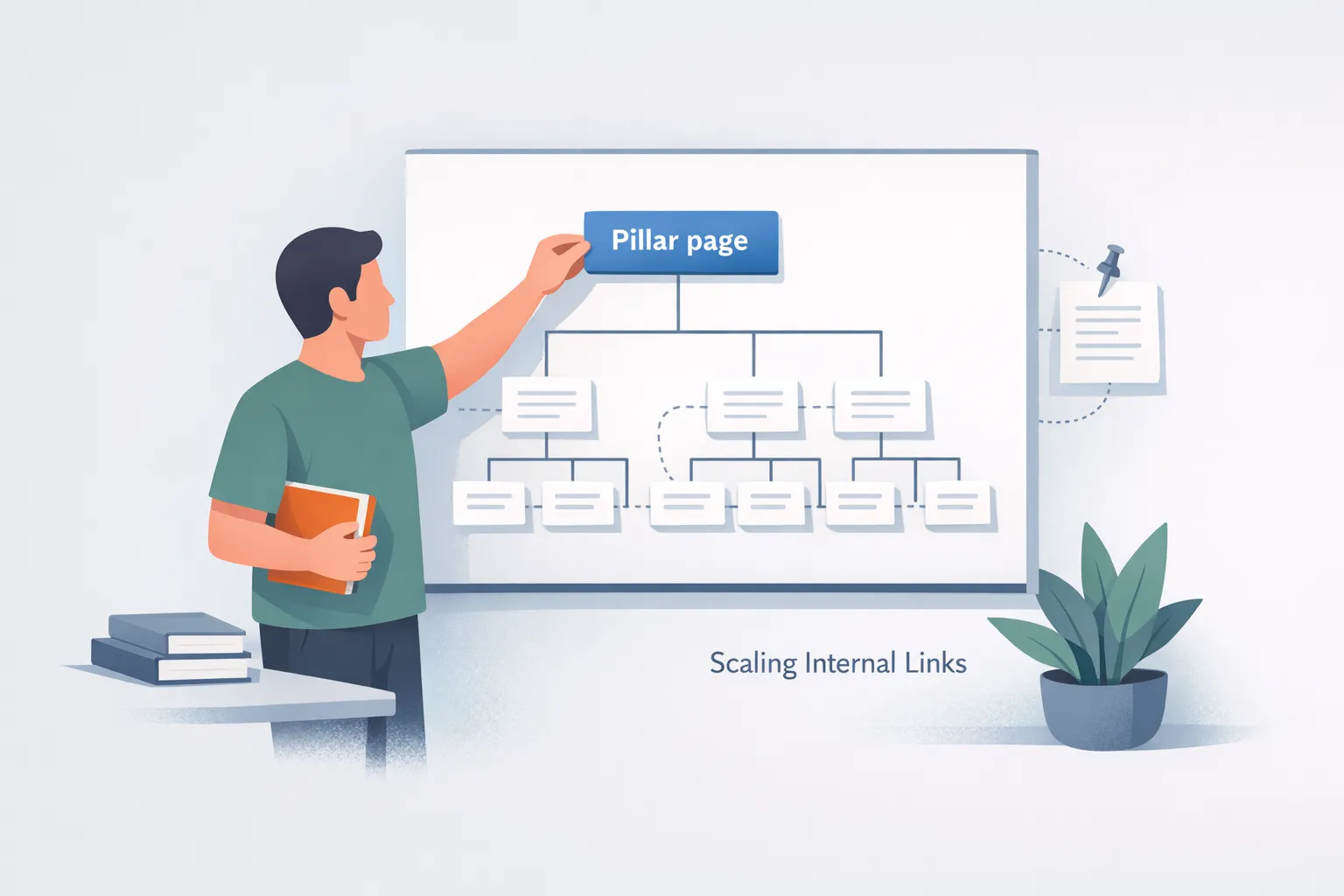
Create a visual map or document showing pillar pages as hubs and cluster pages as spokes. Ensure every cluster has a path from the hub to all related pages and back. Align with navigation and taxonomy to support discovery.
How to verify: A clear hub and spoke diagram exists with defined links between hub and spokes.
Common fail: Structure lacks defined relationships or is not aligned with navigation.
-
Inventory existing links and identify gaps
Run a crawl or use a tool to list current internal links and anchors. Note pages with few internal links or orphaned pages. Compare with pillar plan to spot under linked topics.
How to verify: Gaps between planned clusters and current links are documented.
Common fail: Missed under linked pages or inaccurate counts.
-
Create anchor text guidelines
Define how to describe destination pages and set diversity rules for anchor text. Provide examples of good anchors vs bad anchors. Ensure anchors reflect topic relevance and avoid over-optimization.
How to verify: Anchor text rules are documented and tested on a sample of pages.
Common fail: Anchors are repetitive or ambiguous.
-
Build hub and spoke link graph
On pillar pages, add links to cluster pages; on cluster pages link back to pillar. Link between related clusters to reinforce topic authority. Use descriptive anchors.
How to verify: Hub pages link to all related content and related pages link back.
Common fail: Links are added in isolation without preserving hierarchy.
-
Automate deployment of internal links
Implement automation or CMS rules to apply link templates during publishing. Set thresholds to avoid overlinking. Use a staging environment to preview changes.
How to verify: Automation runs without errors and applies links on new content.
Common fail: Automation creates too many links or misses updates.
-
Audit and fix broken or redirected links
Run regular checks for 404s and redirect chains; update links to final destinations. Remove dead links from navigation and content. Document fixes and re run audits.
How to verify: No broken internal links remain after fixes.
Common fail: Redirect loops persist.
-
Validate indexing crawl health and iterate
Check index coverage for pillar and cluster pages; monitor crawl metrics; adjust based on performance. Plan quarterly reviews to refine clusters and anchor strategy.
How to verify: Indexing reports show pillar and cluster pages are crawled and indexed.
Common fail: No measurable improvement in crawl or rankings.

Verification You Can Trust: Confirming Scale Internal Linking Success
Verification ensures the scale internal linking plan delivers on its promises over time. You will confirm that pillar pages are connected to relevant clusters, anchor text stays descriptive and varied, and crawl paths to priority content remain short. Regular checks should show that there are no orphaned pages or broken links, and that indexing and crawl metrics improve for pillar and cluster pages. Align governance with stakeholders, and document results to support ongoing iteration. The goal is to prove that structure, not luck, drives discovery and engagement at scale.
- Pillar pages connect to all related cluster pages and have clear hub links
- All cluster pages link back to their pillar and to related clusters
- Anchor text remains descriptive, varied, and topic aligned
- No orphaned pages exist; every page has contextual internal links
- Internal links avoid broken or redirected destinations
- Navigation and sitemap reflect the established topic clusters
- Crawl and indexing signals improve for pillar and cluster pages
- Documentation tracks changes and ownership for ongoing governance
| Checkpoint | What good looks like | How to test | If it fails, try |
|---|---|---|---|
| Pillar to cluster connectivity | Pillar pages link to all related cluster pages and each cluster links back | Crawl report shows hub-to-spoke links and reciprocals | Add missing links, update templates, re-run crawl |
| Anchor text consistency | Anchors describe destination pages and reflect topic relevance | Content audit confirms descriptive anchors with targeted keywords | Update anchors to align with destination topics |
| No orphaned pages | Every page has contextual internal links to relevant content | Site-wide audit shows zero orphans | Add contextual links from high-visibility pages |
| No broken internal links | All internal links resolve to live pages | 404 and redirect checks return zero issues | Fix URL mismatches, remove dead links, update |
| Crawl depth optimization | Most pages reachable within three clicks from hub or top navigation | Crawl depth report indicates shallow paths | Create shortcut links or adjust navigation |
| Indexing health | Pillar and cluster pages indexed and appearing in search | Indexing status shows included pages; no crawl anomalies | Re-submit sitemaps, request re-crawl, refine cluster prompts |
Troubleshooting internal linking at scale
When scaling internal linking, issues can show up as broken paths, orphaned content, or misaligned anchors that dilute relevance. This section guides you through practical symptoms, causes, and fixes so you can restore crawl efficiency, preserve hub structures, and keep anchor text meaningful. Apply fixes iteratively, test with a crawl tool, and verify impact through indexing and performance metrics to keep the linking system healthy as content grows.
-
Symptom:
Orphaned pages exist after updates
Why it happens: New or revised clusters aren’t connected to pillars or navigational paths
Fix: Add contextual links from hub pages to the orphaned content and ensure related pages link back to the pillar
-
Symptom:
Broken internal links or 404s appear
Why it happens: Pages moved or slugs changed without redirects
Fix: Restore final destinations or implement proper 301 redirects to current URLs
-
Symptom:
Generic anchor text like click here dominates
Why it happens: Lack of governance and guidance for anchors
Fix: Replace with descriptive anchors aligned to destination topics; update templates
-
Symptom:
Redirect chains lengthen crawl paths
Why it happens: Old URLs funnel through multiple redirects before reaching the target
Fix: Link directly to the final destination and prune intermediate redirects
-
Symptom:
Depth to key pages exceeds optimal crawl depth
Why it happens: Hierarchy is too siloed or hard to reach from hubs
Fix: Create shortcut links from hubs, adjust navigation, and flatten deeply nested sections
-
Symptom:
Anchor text is over-optimized or repetitive
Why it happens: Overemphasis on keywords without variety
Fix: Introduce synonyms and contextual phrases; ensure anchors reflect page topic
-
Symptom:
Internal links point to HTTP instead of HTTPS
Why it happens: Incomplete site-wide migration to HTTPS
Fix: Update all internal links to HTTPS and remove unnecessary redirects
-
Symptom:
Automation adds too many links or irrelevant placements
Why it happens: Rules are too permissive or misconfigured
Fix: Restore thresholds, test in staging, and apply links selectively based on relevance
-
Symptom:
No indexing improvement after linking changes
Why it happens: Crawlers haven’t reindexed updated clusters or pillar pages
Fix: Resubmit sitemaps, request re-crawl, and ensure pillar pages remain central in navigation
What readers want to know next about building internal linking at scale
- What is the simplest first step to start scaling internal linking? Identify pillar topics and map a hub and spoke structure that connects pillar pages to related content.
- How should pillar topics and clusters be defined? Choose core topics that cover your site breadth and assign a pillar page per topic, with related subtopics forming clusters linked to the pillar.
- How do you audit existing internal links at scale? Run a site crawl or use an internal link tool to inventory links, identify under linked pages, and note orphaned content for remediation.
- What makes anchor text effective for internal links? Use descriptive anchors that reflect the destination topic and vary wording to avoid over optimization.
- How do hub and spoke links improve site authority? Hub pages link to related content while cluster pages link back, consolidating topical authority and improving discoverability.
- When should you automate internal link deployment? Deploy links at publishing time with governance and staging checks to scale without over linking.
- How do you handle broken or redirected internal links? Regularly audit for 404s and redirects, fix destinations to final URLs, and remove or update broken links promptly.
- How can you verify indexing and crawl health after changes? Monitor crawl reports and indexing status to ensure pillar and cluster pages are being indexed and accessible.
- How do you maintain the system over time? Schedule quarterly audits, update pillar content, and refine anchors based on performance data.
Readers' next questions about scaling internal linking
-
What is the simplest first step to start scaling internal linking?
Begin by identifying the core topics that define your site and designate each as a pillar. For each pillar, map related articles as spokes that link back to the pillar. Use a consistent hub and spoke pattern so search engines understand topic authority, while users can navigate logically from the pillar to deeper content. Store the plan in a shared doc and align with content workflows.
-
How should pillar topics and clusters be defined?
Define pillar topics by breadth and relevance to your business goals, ensuring each pillar covers a distinct, meaningful theme. Assign a single pillar page per topic and group related subtopics as clusters that link to the pillar and to each other. Maintain taxonomy consistency across navigation, internal links, and content briefs so discovery flows smoothly.
-
How do you audit existing internal links at scale?
Audit existing internal links at scale by running a site wide crawl or using an internal linking tool to map current links, anchors, and page connections. Identify under linked pages, orphaned content, and broken or redirected destinations. Prioritize under linked but high value pages for new links and ensure links follow topic relevance rather than page count.
-
What makes anchor text effective for internal links?
Anchor text should clearly describe the destination topic and vary phrasing across links. Favor descriptive phrases over generic terms, align anchors with the content of the linked page, and preserve natural readability. Avoid over optimization by balancing exact keywords with synonyms and related terms. Consistent anchor text helps crawlers interpret relationships and improves user navigation.
-
How do hub and spoke links improve site authority?
Hub pages serve as authority centers that link out to related content, while cluster pages link back to the hub and connect with other clusters. This structure concentrates topical signals, strengthens internal link equity, and accelerates discovery of related content by both users and crawlers. Ensure every cluster has a reciprocating link path to the hub.
-
When should you automate internal link deployment?
Automate where possible to scale without sacrificing quality. Apply link templates at publishing or on a scheduled cadence, with governance reviews and staging checks. Use automation to enforce anchor text rules and ensure links point to final destinations. Continuously monitor for errors and adjust thresholds to prevent over linking.
-
How do you handle broken or redirected internal links?
Set up regular audits to detect 404s and redirect chains. Restore final destinations when pages move, or implement direct 301 redirects to the current URLs. Remove broken links from navigation and content to prevent user frustration. Keep a changelog of fixes and re-audit after updates.
-
How can you verify indexing and crawl health after changes?
Monitor indexing and crawl metrics for pillar and cluster pages after changes. Check that new links are crawled, pages are indexed, and no 404s appear in results. Use crawl reports to confirm hub to spoke connections are discovered and that navigation reflects the updated structure. Iterate based on data and refine clusters as topics evolve.


